|
|
|
|
800-876-0036
Phone: 847-356-0566 Fax: 847-356-0747 E-Mail: sales@mmcontrol.com
CAL Controls
|
| |
|
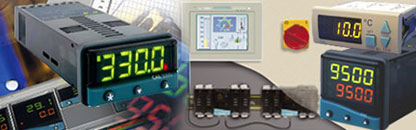
About CAL Controls: CAL Controls is a world leader in temperature and process control products that are at the forefront of process control technology. CAL has designed temperature and process controllers that have created world standards, such as the first 1/16th DIN (48x48mm) analog and digital controllers, followed by the first 1/32nd DIN (24x48mm) digital controller. Product development provides an increased range of solutions from simple temperature control to programmable process controllers and software for configuration, networking and process monitoring. |
CAL Controls Products
Temperature Controllers & Process Controllers | CALogix | Temperature Sensors | CAL Controls Thermostats | Solid State Relays |
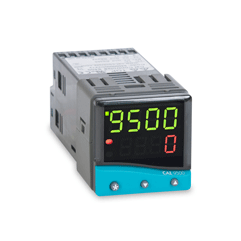 |
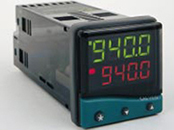
A range of controllers with PID, auto-tune, heat-cool and single ramp soak as standard with RS232 and RS485 communications options Temperature and Process Controllers with profiling – Controllers with programmable ramp-soak profiles up to 126 segments. A maximum of 31 programs can be stored within a single controller.
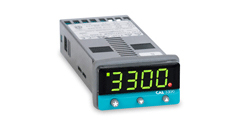
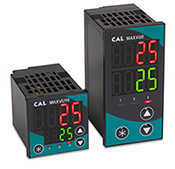 New: MAXVU Temperature Controller
The new MAXVU is a cost effective temperature controller which is fast to configure, has improved display visibility and reduces costs by minimizing wiring and panel space.
|
| |
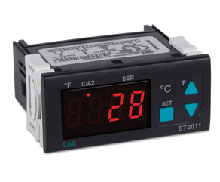 |
Thermostat and Defrost Thermostat Devices
The CAL family of thermostats provides a range of options for basic heating and cooling applications.
Defrost Thermostat
The EDT defrost thermostats offer additional functionality to provide more sophisticated control of refrigeration systems such as compressor protection, defrost control, a real time clock and communications.
|
| |
|
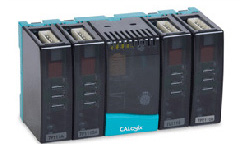
CALogix Multi-Loop Controller - Obsolete
CALogix is a modular system that consists of a DIN-rail mounted base unit and up to 4 control modules. PID and logic modules can be added to the base unit in any configuration ensuring the exact requirements of your application can be met. CALogix is sub panel mounted which means that CALogix can be easily integrated within a system that has a central user interface. This could be an operator panel or a PC running an OPC based SCADA system or your own custom software.
This product is now obsolete. Call 1-800-876-0036 for assistance.
|
| O B S O L E T E |
| |
| |
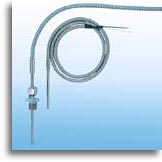 |
Temperature Sensors
A wide range of thermocouples and resistance thermometers to meet the requirement of most applications are available for CAL controllers. Also available is a range of accessories including cables, glands, connectors and thermowells.
Call your salesman at 1-800-876-0036 for assistance with your application.
|
| |
 |
Solid State Relays (SSRs) Datasheet |
Solid State Relays (SSRs) used with CAL controllers, provide a comprehensive solution for temperature and process control applications. Solid state relays for use with controllers for high speed load switching product options are available to provide the best application solution.
Call 1-800-876-0036 for more information about CAL Controls Products. |
| |
| Can't find what you are looking for?
Call or E-mail Now
. . . for Immediate Service, Pricing, and Delivery |
|
* * * 800-876-0036 * * *
Phone: 847-356-0566 Fax: 847-356-0747 E-Mail: sales@mmcontrol.com
@
|